RoboCrane
An attempt to map the physical movements of the hands
to physical movements of a crane arm & car wirelessly
by using a hand wearable device
Motivation (Why)
Robotics is a field concerned with the intelligent connection of perception to action. With so many switches and buttons involved, controlling robotic gadgets could become a task in itself. To ease this, we wanted to map the physical movements of the hands to the physical movements of a crane arm & car by using a hand wearable device, thus creating a friendly and more naturalistic way to interface with robots.
Techtics (What & How)
We designed two wearable sensors – one controlling the motion of the crane (the direction it is moving in, the wheels) and the other controlling the functional motions of the crane. The motion controller has a joystick linked to the camera placed in the crane; providing visibility to the operator. The functional controller wirelessly sends signals to the crane to mimic the motions made by the operator.
We used a combination of Arduino Nano, Uno, and Due for creating the hand wearable devices, controller on the crane car and arm respectively.
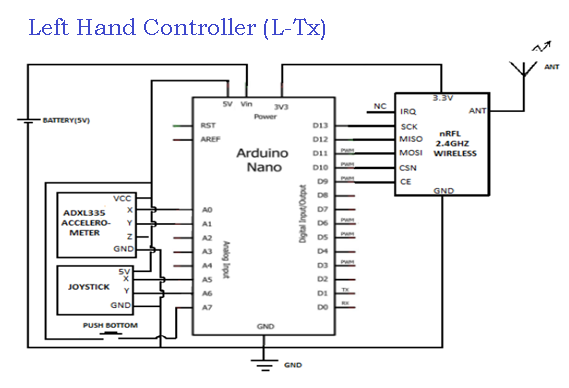
Left Hand Controller (L-Tx)
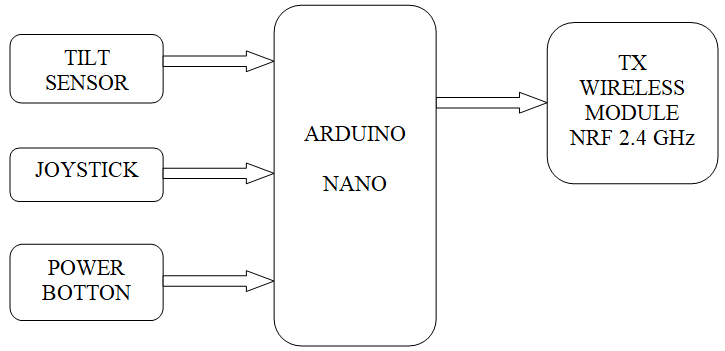 For the Left-hand wearable device, we designed the circuit using Arduino Nano with Accelerometer (tilt sensor) to transmit the tilt position of the top of the palm on which the board was mounted. The change in the tilt was used to move the Crane Car in different directions and take turns.
A mini Joystick was attached to the board to control the servo motor on which the camera was mounted on the crane; this facilitated the operator with visibility from a larger distance.
A Power Button was added to switch the crane module ON/OFF.
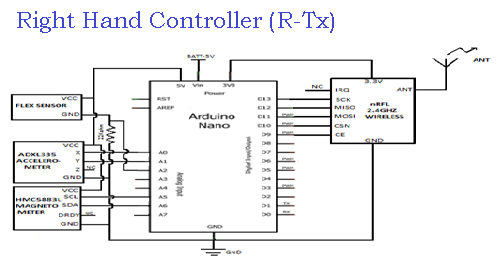
Right Hand Controller (R-Tx)
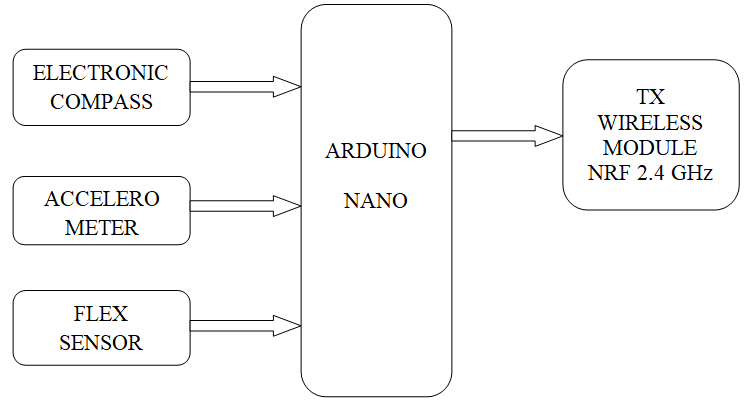 For the Right-hand wearable device, we designed using Arduino Nano with Accelerometer to judge the motion of the arm and provide the same input to the Crane Arm. We used an Electronic Compass to measure the variation in angular displacement of the hand and give analog value to the Arduino.
A Flex Sensor was added to capture the grip intensity and motion of the index finger and thumb.
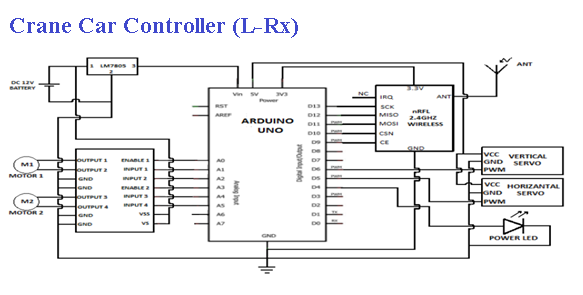
Crane Car Controller (L-Rx)
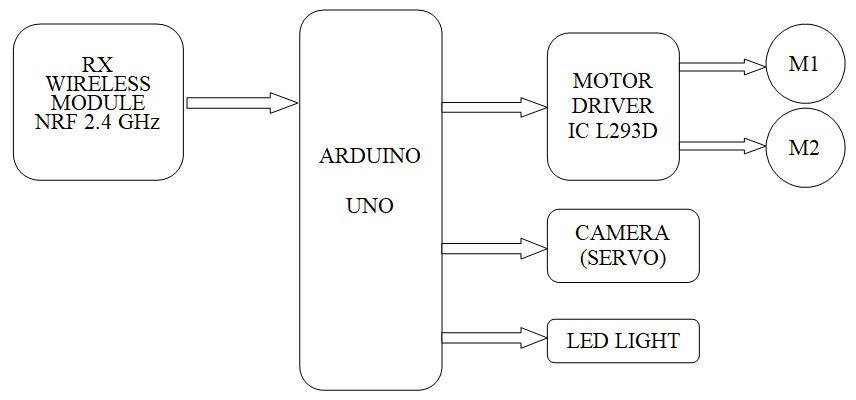 The Crane Car and Camera motions are handled by the Left-hand motion and joystick using Arduino Uno. The transmitted data from the Tilt Sensor is mapped with two DC gear motors using the Motor Driving IC L293D that are connected to the wheels of the Crane Car.
The input from the Joystick is received and fed to the Servo Motor using which the camera movements are controlled. The LED light is controlled by the signal transmitted by the Power Button.
Crane Arm Controller (R-Rx)
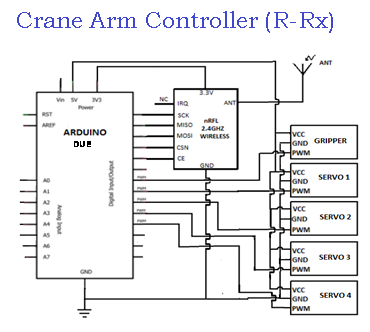
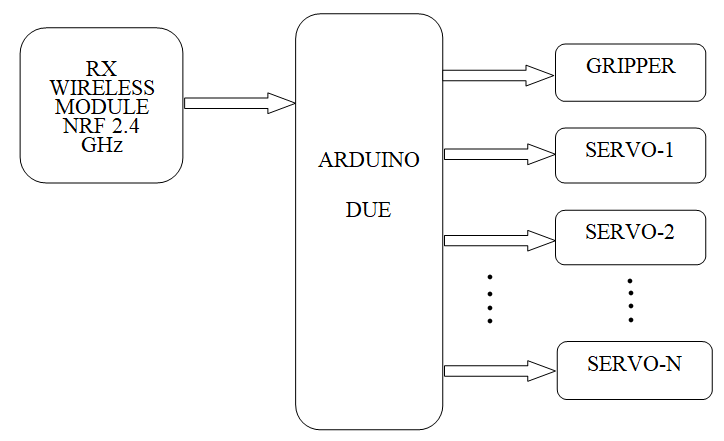 The Crane Arm is controlled by the wearable from the right hand using Arduino Due. An Accelerometer ADXL335 is used as a Tilt Sensor and a Magnetometer HMC5883L is used as an Electronic Compass - A combination of both these readings is used while the user is moving arm to decide which Servo Motor needs to be moved.
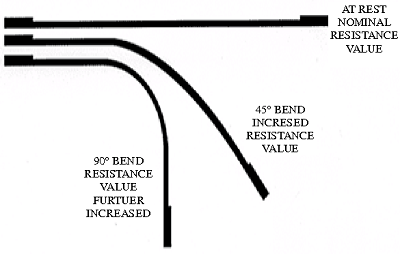
A Flex sensor is used for generating variable resistance values and these are used to drive the movements of the Gripper.
Reflection & Application (now & next)
We devised and implemented a pair of wearable gloves for both hands with the above-mentioned functions.
The neutral/default value of these devices was a tricky challenge we had to overcome. The problem was that the moment the power button was switched on the data was mapped to the car and so the motion immediately began and we saw a lot of mismatch of positional data even when we used the combination of a tilt sensor and electronic compass for the Crane Arm.
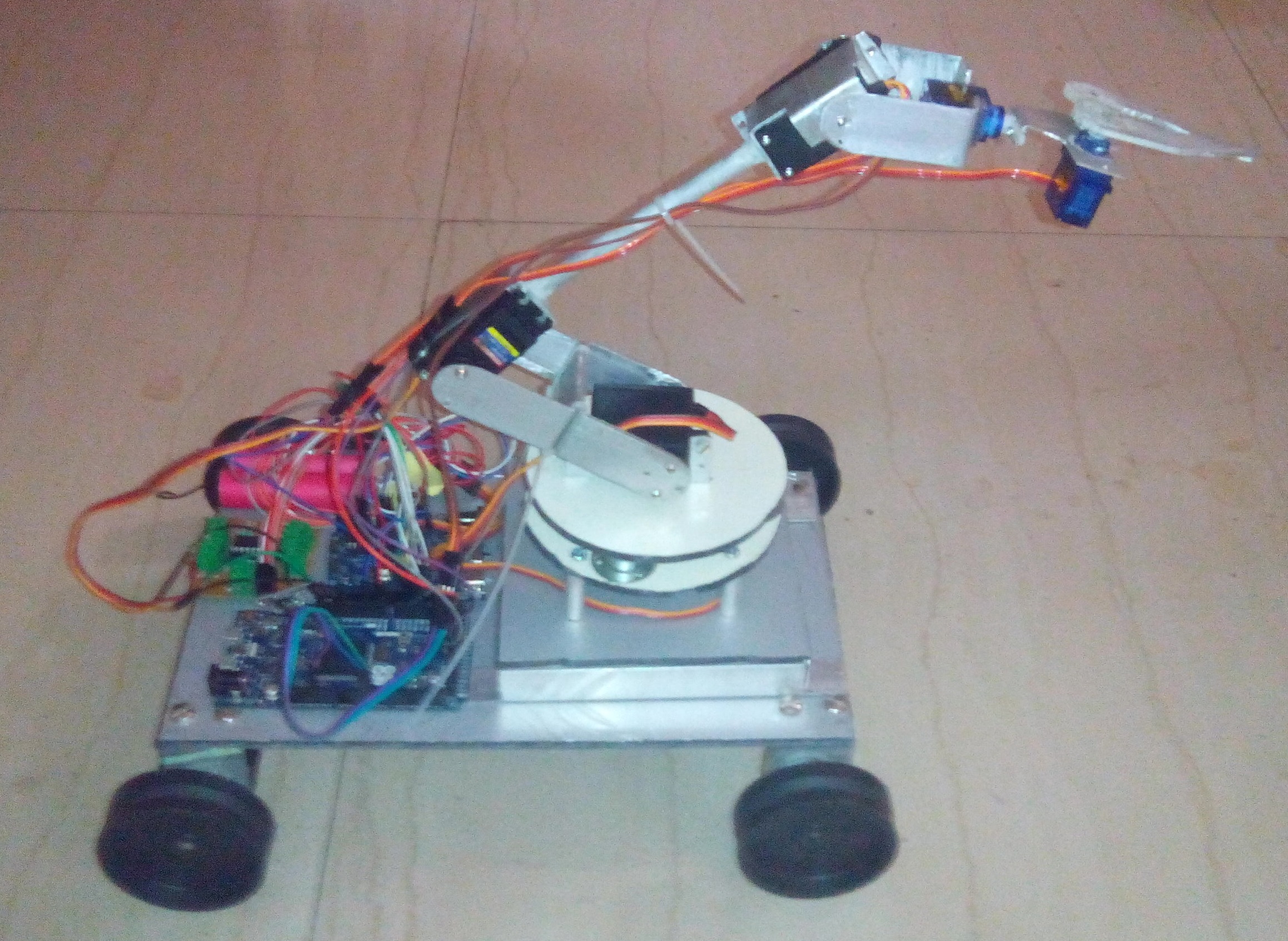
We designed the circuits and also build the RoboCrane structure from scratch, a good amount of effort was spent in the mechanical lab to get the designed parts filled. Here, we saw a challenge regarding the balance of the Crane Car and the mounted Crane Arm on it. We had to redesign the structure a few times to get the balance right and not let it trip over while moving the arm when in motion.
Unfortunately, we have lost the recordings and photographs of our work, but below are the circuit connections and sole photographs of our creation.
Result images
Tools & Technology






Creators
Sunil Gupta and Suryakant Sahoo